CopyTranslate
Instant Translation & Tone Adjustment – Right from Your Mac’s Clipboard.
Download on the App Store
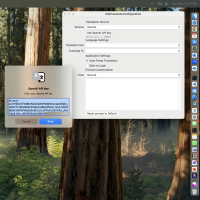
Setup Guide
Experience seamless language conversion with this AI-powered translator for macOS.
Features
- Universal Language Support: Translate text on Mac between any LLM-supported languages.
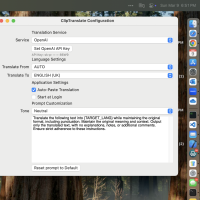
- Tone Adaptation: Adjust the tone of your translations for different communication goals with our AI text transformation.
- Grammar Correction: Correct grammatical errors in your text with our AI grammar checker.
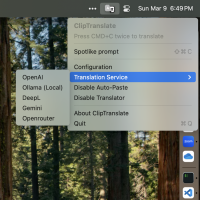
- Multiple Translation Services: Choose from OpenAI, Gemini, Operouter, and Ollama.
- Double CMD+C Shortcut: Transform text with a simple keyboard shortcut.
- Menu Bar App: Always available when you need it.
- Auto-Paste: Automatically paste the transformed text.
- Spotlike Panel: Transform text quickly using CTRL+CMD+C.
How It Works
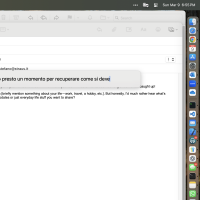
CopyTranslate monitors your clipboard for text. When you copy text and press CMD+C twice, it automatically transforms the text according to your settings. You can then paste the transformed text wherever you need it.
Testimonials
"I created CopyTranslate for my personal needs and shared it with the world. It's a simple and effective tool for seamless text transformation." - Stefano Straus, Developer